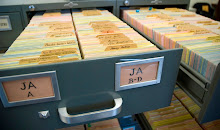
Assigning the document types concluded about a week ago. The last document type tackled was JQA's poems, which were many. Some late decisions were made as we did this; the original slips for some document types - like JQA's poems - were filed in two ways: both chronologically and alphabetically. In the digital control file, there is no need for this kind of dual-classification. The headings were brought over verbatim and we realized that we could get rid of one altogether and rename the other so that the document type, for JQA's poetry, reads just simply "JQA-Poems, Hymns, Prayers, &c." You can see the "before" of this in the image below in the "Document Types & Names" post from 11 March 2011.
We'll continue to fine tune some of the Document Types as we go along but it feels great to have that part of the paper slips behind us. The web developer added to the search feature a way to narrow your search to each Document Type, so this is an added way of getting at the information which you will enjoy once it is rolled out.
For now, we're working through the conjectural dates of which there are 6,338 records. What this entails is reviewing each entry to make sure that the most up-to-date and accurate information is listed in the date field. Dates were reviewed in Level 1 encoding along with many other things. Unfortunately, some of the dates that needed updating based on the proofing were skipped and now it falls on my shoulders to review the records, fixing them up right. There are other reasons why the dates came over from the XML but won't get into for fear of seeming too defensive. It's a combination, I think, of human and technological reasons though. I've gone through 1,900 as of this post so while it doesn't seem like I'm making progress I am. It feels very "corporate" as I'm moving papers from one pile into another.
The conjectural dates exist for a number of reasons including undated papers, mis-dated papers, etc. For these items the ace staff of the Adams Papers do their level best to assign as accurate a date as possible based on research, expertise, etc. Over the generations of editorial staff, some slips have gone through several updates and now, now is the time for correcting it all so that when you get access to it you can be confident you're looking at great, solid, right information.
There are not 6,338 errors, mind you, and fortunately I do go through pages at a time where everything is synced up.
Showing posts with label Dates. Show all posts
Showing posts with label Dates. Show all posts
Wednesday, April 27, 2011

Tuesday, January 25, 2011
John Adams by the numbers
John Adams died on 4 July 1826 at the ripe old age of 90. His death falls slightly more than halfway through the Adams Papers slip file, but when we reached this date in Encoding Level 2 last summer, we felt we'd marked an important milestone in the project. So in honor of John Adams, I've compiled some statistics related to him.
As of now, John Adams appears in the database as an author 13,943 times. He appears as a recipient 11,782 times. These numbers reflect original letters, retained letterbook copies of outgoing correspondence, and other documents. While the MHS holds the vast majority of these items, the slip file lists all known Adams family manuscripts, including those held by other institutions and those in private hands.
The earliest extant letter from John was written at Worcester on 1 Sep. 1755 to Nathan Webb. The first letter John received was written by Richard Cranch in Oct. 1756.
Correspondence between John and Abigail Adams accounts for 1,376 records in the database. Ironically, although Abigail often complained of how little John wrote, he wrote many more letters to her than she did to him--an impressive 912 to her 464 (including letterbook copies). John's first letter to his future wife was written 4 Oct. 1762, two years before their marriage, and her first letter to him was written 11 Aug. 1763.
According to the slip file, John Adams exchanged 662 letters with his "frenemy" Thomas Jefferson--376 to him and 286 from him. Their correspondence spans almost 50 years, beginning with Jefferson's letter from Williamsburg, Va. on 16 May 1777 and ending with Adams' of 17 Apr. 1826, less than three months before the day both men died.
John Adams wrote his last letter on 22 June 1826 to Roger C. Weightman, at that time the mayor of Washington, D.C. Four days later, the last letter to John was written by Ebenezer Clough. It was one of only three letters Clough ever wrote to the former president.
As of now, John Adams appears in the database as an author 13,943 times. He appears as a recipient 11,782 times. These numbers reflect original letters, retained letterbook copies of outgoing correspondence, and other documents. While the MHS holds the vast majority of these items, the slip file lists all known Adams family manuscripts, including those held by other institutions and those in private hands.
The earliest extant letter from John was written at Worcester on 1 Sep. 1755 to Nathan Webb. The first letter John received was written by Richard Cranch in Oct. 1756.
Correspondence between John and Abigail Adams accounts for 1,376 records in the database. Ironically, although Abigail often complained of how little John wrote, he wrote many more letters to her than she did to him--an impressive 912 to her 464 (including letterbook copies). John's first letter to his future wife was written 4 Oct. 1762, two years before their marriage, and her first letter to him was written 11 Aug. 1763.
According to the slip file, John Adams exchanged 662 letters with his "frenemy" Thomas Jefferson--376 to him and 286 from him. Their correspondence spans almost 50 years, beginning with Jefferson's letter from Williamsburg, Va. on 16 May 1777 and ending with Adams' of 17 Apr. 1826, less than three months before the day both men died.
John Adams wrote his last letter on 22 June 1826 to Roger C. Weightman, at that time the mayor of Washington, D.C. Four days later, the last letter to John was written by Ebenezer Clough. It was one of only three letters Clough ever wrote to the former president.
Tuesday, November 10, 2009
Checklist for Encoding Level 1
We are currently 35% through Encoding Level 1 which involves inputting proofreading corrections, verifying the basic code and creating the first of several authority look-up tables--this one for place names. The work is still broken down by reel. The following is the checklist for each record.
To open a new file for encoding level 1:
--Open new XML file through the Tortoise SVN Directory at C:\Repositories\slipfile\xml\proofread and confirm that the file name ends in “_level1”
--Confirm that FULL_schemaV2_MR.rng is associated through the Tortoise SVN Directory at C:\Repositories\slipfile\xml\schemas (reassociate if the red underlines don’t appear)
--Run the XSL transformation copyformat.xsl; overwrite the new file under same name.
--Commit these changes by right clicking on the slipfile folder on your C:\ drive and selecting "SVN Commit" from the drop down menu. Select the files to commit, click "OK" and then type in your password.
To open a working file for encoding level 1:
--Open XML file through the Tortoise SVN Directory at C:\Repositories\slipfile\xml\level1
--Enter changes and save periodically to the Tortoise SVN Directory at C:\Repositories\slipfile\xml\level1
--When finished with work, commit changes by right clicking on the slipfile folder on your C:\ drive and selecting "SVN Commit" from the drop down menu. Select the files to commit, click "OK" and then type in your password.
For each record:
Input proofreading file changes
--Confirm @color, enter if absent (if you delete the entire @color and hit the space bar, a drop down menu will appear with possible attributes and values). The choices are: 1pink, 2yellow, 3white, 4blue, or 5goldenrod
--Confirm <place>, remove unnecessary information from @location and confirm correct English spelling; confirm place name against Excel spreadsheet list and add new authority names to list i.e. “Philadelphia, 31 South Street” should have a @location value of “Philadelphia”
--Confirm <code>, use drop down prompts to fill in attributes when necessary Codes that are not @type=Accesssion, Letterbook, Miscellany or Diary should be encoded as “General” under the @type, i.e. “TS Wills and Deeds”
--Confirm <length>, enter value in @pages if absent: add multiple page numbers listed, i.e. if there is an enclosure and <length>2 p., 3 p. </length> then the total value for @pages= “5”.
--Confirm <copy>, enter value for @format. The copyformat.xsl should have populated most of these. when there are two values, one for MS and one for XPr (or the like), copy @format should have “Manuscript” as value and the subsequent XPr’s should be encoded as a note
--Confirm <date>, verify that populated dates are correct, confirm all attributes are present as necessary, enter @to for date ranges and any other appropriate @.
Most of the date should be automatically populated, except for date ranges. A date range will have the first date entered as an @when, the encoder must enter the end date in @to as year-month-day. For unknown months or days, enter “99” . For conjectural or corrected dates, encode the corrected date. For questions, check Master Encoding Guide.i.e., "1 January 1799 [i.e. 1800]" should be @when="1800-01-01".
--Add new slips found in paper file, create new ID number at end of reel
--Cross check any changes in the Corrections Binder (may be redundant, but important!)
To open a new file for encoding level 1:
--Open new XML file through the Tortoise SVN Directory at C:\Repositories\slipfile\xml\proofread and confirm that the file name ends in “_level1”
--Confirm that FULL_schemaV2_MR.rng is associated through the Tortoise SVN Directory at C:\Repositories\slipfile\xml\schemas (reassociate if the red underlines don’t appear)
--Run the XSL transformation copyformat.xsl; overwrite the new file under same name.
--Commit these changes by right clicking on the slipfile folder on your C:\ drive and selecting "SVN Commit" from the drop down menu. Select the files to commit, click "OK" and then type in your password.
To open a working file for encoding level 1:
--Open XML file through the Tortoise SVN Directory at C:\Repositories\slipfile\xml\level1
--Enter changes and save periodically to the Tortoise SVN Directory at C:\Repositories\slipfile\xml\level1
--When finished with work, commit changes by right clicking on the slipfile folder on your C:\ drive and selecting "SVN Commit" from the drop down menu. Select the files to commit, click "OK" and then type in your password.
For each record:
Input proofreading file changes
--Confirm @color, enter if absent (if you delete the entire @color and hit the space bar, a drop down menu will appear with possible attributes and values). The choices are: 1pink, 2yellow, 3white, 4blue, or 5goldenrod
--Confirm <place>, remove unnecessary information from @location and confirm correct English spelling; confirm place name against Excel spreadsheet list and add new authority names to list i.e. “Philadelphia, 31 South Street” should have a @location value of “Philadelphia”
--Confirm <code>, use drop down prompts to fill in attributes when necessary Codes that are not @type=Accesssion, Letterbook, Miscellany or Diary should be encoded as “General” under the @type, i.e. “TS Wills and Deeds”
--Confirm <length>, enter value in @pages if absent: add multiple page numbers listed, i.e. if there is an enclosure and <length>2 p., 3 p. </length> then the total value for @pages= “5”.
--Confirm <copy>, enter value for @format. The copyformat.xsl should have populated most of these. when there are two values, one for MS and one for XPr (or the like), copy @format should have “Manuscript” as value and the subsequent XPr’s should be encoded as a note
--Confirm <date>, verify that populated dates are correct, confirm all attributes are present as necessary, enter @to for date ranges and any other appropriate @.
Most of the date should be automatically populated, except for date ranges. A date range will have the first date entered as an @when, the encoder must enter the end date in @to as year-month-day. For unknown months or days, enter “99” . For conjectural or corrected dates, encode the corrected date. For questions, check Master Encoding Guide.i.e., "1 January 1799 [i.e. 1800]" should be @when="1800-01-01".
--Add new slips found in paper file, create new ID number at end of reel
--Cross check any changes in the Corrections Binder (may be redundant, but important!)
Wednesday, August 12, 2009
Master Encoding Guide: Dates

Record Content: Dates
<date> The date element is the most important piece of information on each slip. The physical card file, as well as the physical archive collection and the microfilm, is arranged chronologically. It is the first access point to the documents. It is also the most complicated, due to the variety of date formats and the rules regarding sorting. The date section of the full schema is derived from the unique dating structure of the control file, as it was originally organized and inventoried. As noted above, all text in the date field is retained as is and the attributes control the data for sorting and searching.
Required Attributes
The <date> requires a choice of one of the following attributes:
@when.
The most comment type of date found in the control file are exact dates with a known day, month, and year. These are controlled in the @when with a date parameter of year-month-day (YYYY-MM-DD). If either the month or day is uncertain, encode the @when with "99", i.e. YYYY-99-99. This will allow for proper sorting—complete dates come before incomplete dates.
Example: <date when="1771-12-21">21 Dec. 1771.</date>
<date when="1776-07-99">July 1776</date>
@when and @ante.
Any date that is known to be written before a certain date using the term "ante." These are also controlled with the standard date parameter year-month-day.
Example: <date when="1790-07-11" ante="ante">ante 11 July 1790</date>
@when and @post.
Any date that is known to be written after a certain date using the term "post."
Example: <date when="1790-07-11" post="post">post 11 July 1790</date>
@when and @to.
Any range of dates with a known beginning and end. These elements must be used as a group.
Example: <date when="1790-07-11" to="1790-08-31">11 July–31 Aug. 1790</date>
Optional Attributes
The following attributes may be added to any of the required attributes above:
@circa.
Any of the above four types of dates (when, when/ante, when/post, and when/to) that are preceded by a "ca." or "circa" should also include the @circa. The value is "yes" and @circa can be combined with any other date attributes.
Example: <date when="1745-10-21" circa="yes">ca. 21 Oct. 1745</date>
@conjectural.
Any date that appears in brackets is a conjectural date. The date may be conjectural for a variety of reasons (illegible, not present on the letter, supplied by context), but the key feature is the use of brackets. The value is "yes" and @conjectural may be combined with any other date attributes.
Example: <date when="1772-12-02" conjectural="yes">2 Dec. [1772]</date>
@noDate.
Any date field that includes the phrase "n.d." should have the @noDate. This may appear alone, but more often accompanies a supplied date in brackets. The @noDate may be combined with any other date attribute.
Example: <date noDate="yes" post="1773-06-16" conjectural="yes" >n.d. [post 16 June 1773?]</date>
@rank.
The rank will be added using a separate XSL transformation. The ranking will be determined based on the number of attributes to allow for proper sorting.
A note on sorting.
The sorting rules for the database will follow the filing rules used in the physical paper file. Not only are the editors already familiar with these rules, they are the most logical method for the variety of dates—certain and uncertain, complete and incomplete—found in the control file. The original directive adequately described the sorting:
The file contains all ribbon copies of all four types of control slips. In cases where several slips represent different versions of the same document, the order of filing is as follows:
Pink (CDF), White (Letterbook), Yellow (Accession), Blue (Printed or Manuscript Lead)
Arrangement of slips in this file follows strict chronological order throughout the entire span of our documents, 1639-1889. Dates which contain all three elements (day, month, and year) precede those which are incomplete. Inclusive dates are filed under the earlier of the dates, but following all other slips for that day. (An exception to this rule is the filing of accounts with inclusive dates, which go under the later of the inclusive dates, but preceding all other slips for that day.) An example may be taken from the end of a theoretical year:
Ante 15 Dec. 1800
15 Dec. 1800
15-19 Dec. 1800
31 Dec. 1800
31 Dec. 1800-21 Jan. 1801
31 Dec. 1800-18 May 1801
Dec. 1800
1800
Ca. 1800
[1800?]
1800-1809
[post 1800]
Tuesday, December 23, 2008
Bracketed Dates
Question: Some dates are both bracketed and italicized. This is an editorial directive used in the volumes to distinguish between conjectural dates (bracketed) and editorially supplied dates (bracketed and italicized). The use of italics was not used in the early days of the control file (because typewriters could not create italics) but occasionally the text was underlined. The italics and underlining practices are not uniformly applied throughout the catalogue.
Resolution: Brackets will be used to indicate any uncertain date (whether conjectural, incomplete, supplied, etc.). Dates inside of brackets will NOT retain an italics or underlining.
Resolution: Brackets will be used to indicate any uncertain date (whether conjectural, incomplete, supplied, etc.). Dates inside of brackets will NOT retain an italics or underlining.
Encoding Guide. Dates
Record: DATE
Every record has a date in the top left corner. The most common dating convention will be day/month/year. There may be a range of days, months or years. There may also be the term “Ante” or “Post” written before it. All text and punctuation in the date field should be coded with the date <d> tag.
<dɰ July 1776.</d>
<d>Ante 4 July 1776</d>
<d>[4-6] July 1776</d>
<d>[n.d.]</d>
IMPORTANT: Creating new records
A new record should be created for each slip. As long as the slip has something in the date <d> category, it should be considered a new record and assigned a new record ID number (See RECORD IDs, above, for the assignment of ID numbers).
The slip file was created to be viewed just like a traditional card catalog, one slip after another. Sometimes, a document’s slip required more information than could fit on one slip of paper. In these instances, additional slips of paper were included immediately following the first slip—the slip with a date on it. These follow-up slips do not have a date but do have “cont.” or “2nd page” centered on the top line. These slips should be considered part of the previous slip and all of the content on the continuation slips should be encoded within the same <x> element with the content of the initial slip. Most of the additional text, including the phrase “cont.” or “2d page,” will fall under the NOTE category.
Any slip that cannot be determined to have a new date or to be a continuation slip should be given a unique ID number, the information transcribed and tagged, and must be flagged for review using the empty review <r/> tag.
Every record has a date in the top left corner. The most common dating convention will be day/month/year. There may be a range of days, months or years. There may also be the term “Ante” or “Post” written before it. All text and punctuation in the date field should be coded with the date <d> tag.
<dɰ July 1776.</d>
<d>Ante 4 July 1776</d>
<d>[4-6] July 1776</d>
<d>[n.d.]</d>
IMPORTANT: Creating new records
A new record should be created for each slip. As long as the slip has something in the date <d> category, it should be considered a new record and assigned a new record ID number (See RECORD IDs, above, for the assignment of ID numbers).
The slip file was created to be viewed just like a traditional card catalog, one slip after another. Sometimes, a document’s slip required more information than could fit on one slip of paper. In these instances, additional slips of paper were included immediately following the first slip—the slip with a date on it. These follow-up slips do not have a date but do have “cont.” or “2nd page” centered on the top line. These slips should be considered part of the previous slip and all of the content on the continuation slips should be encoded within the same <x> element with the content of the initial slip. Most of the additional text, including the phrase “cont.” or “2d page,” will fall under the NOTE category.
Any slip that cannot be determined to have a new date or to be a continuation slip should be given a unique ID number, the information transcribed and tagged, and must be flagged for review using the empty review <r/> tag.
Subscribe to:
Posts (Atom)